
Meet uv: One Fast Tool to Replace Your Python Toolchain
uv replaces pip, venv, pip-tools, pyenv, and pipx with one fast binary. Here's why developers are switching — and how to make the move.

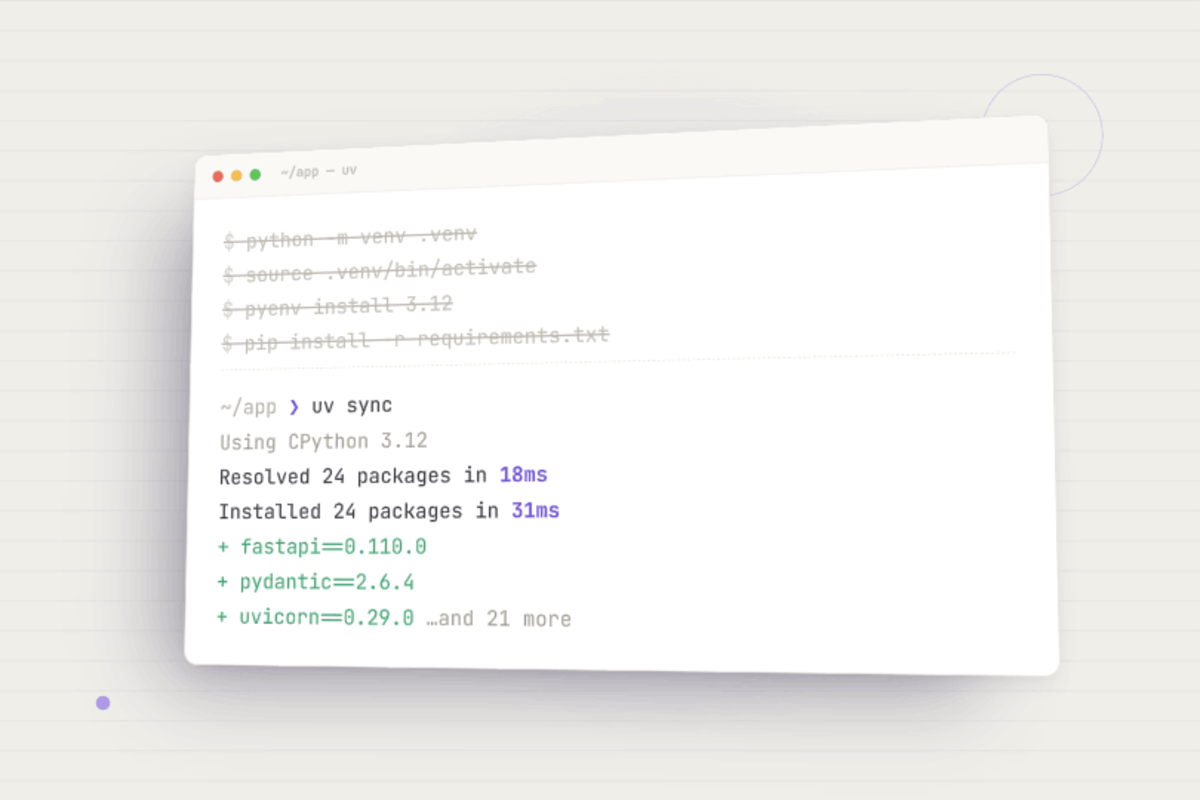
Python package management usually means juggling pip, venv, pip-tools, and maybe pyenv. uv replaces that whole stack with a single, much faster binary. Here's what it is and why it's worth switching.
What is uv?
uv is a Python package and project manager written in Rust, built by Astral (the team behind the linter Ruff). It was designed from the start to be a drop-in replacement for pip, pip-tools, virtualenv, pyenv, and pipx — so you can use familiar pip-style commands and get the same results, just faster.
In one binary, uv can manage Python versions, create virtual environments automatically, add and remove dependencies, generate deterministic lockfiles, run scripts and CLI tools in isolation, and build and publish packages. It ships with no Python dependency, so you can bootstrap an entire toolchain from a single install.
The pyproject.toml file
uv is built around pyproject.toml, the modern standard for Python project configuration (PEP 621). Running uv init scaffolds a project like this:
my-project/
├── .python-version    # pins the Python version, e.g. 3.12
├── main.py            # entry point
├── pyproject.toml     # project metadata and dependencies
└── uv.lock            # exact, resolved dependency versions
pyproject.toml holds your project's metadata and dependencies in one declarative file:
[project]
name = "my-project"
version = "0.1.0"
requires-python = ">=3.12"
dependencies = [
    "requests>=2.31.0",
]
The generated uv.lock records the exact resolved version of every package and sub-dependency. Commit it, and anyone who clones your repo can run uv sync for a byte-for-byte identical environment.
For more on the format, see the official pyproject.toml specification.
Why uv is better than pip
- Speed. Commonly 10–100x faster than pip, thanks to Rust, parallel downloads, and an optimized resolver.
- One tool instead of five. pip only installs packages; uv also handles virtual environments and Python versions, replacing pip, venv, pip-tools, pyenv, and pipx.
- Automatic environments. uv creates and manages your virtual environment for you —
uv runpicks the right one, so no moresource .venv/bin/activate. - Real lockfiles.
uv.lockgives deterministic, cross-platform installs thatrequirements.txtcan't reliably match. - Clean dev/prod separation. Built-in dependency groups keep dev tools out of production builds with a single flag (more below).
- Still pip-compatible. A
uv pipinterface lets uv slot into existing pip workflows while you migrate at your own pace.
Setting up a project
# 1. Install uv (macOS / Linux)
curl -LsSf https://astral.sh/uv/install.sh | sh
# Windows (PowerShell):
# powershell -ExecutionPolicy ByPass -c "irm https://astral.sh/uv/install.ps1 | iex"

# 2. Create a project
uv init my-project && cd my-project

# 3. Pin a Python version (optional — uv downloads it if needed)
uv python pin 3.12

# 4. Add dependencies (updates pyproject.toml + uv.lock, creates .venv)
uv add requests

# 5. Run your code (no manual activation needed)
uv run main.py
Separating dev and prod dependencies
Test runners, linters, and formatters shouldn't ship to production. uv handles this with dependency groups. Add a dev-only package with --dev:
uv add --dev pytest ruff
It lands in a separate group, away from your runtime dependencies:
[project]
dependencies = [
    "requests>=2.31.0",   # production
]

[dependency-groups]
dev = [
    "pytest>=8.0.0",      # development only
    "ruff>=0.5.0",
]
uv sync installs everything by default; uv sync --no-dev skips the dev group for lean production builds. You can also define your own named groups (e.g. uv add --group docs mkdocs) and toggle them with --group / --no-group.
Switching from pip to uv
If you have a requirements.txt, migrating takes seconds:
cd my-existing-project
uv init
uv pip install -r requirements.txt
Coming from Poetry? Astral provides a migration tool that converts a Poetry-style pyproject.toml to the standard format. You don't have to switch everything at once — the uv pip interface is compatible enough to adopt gradually, then move to native commands like uv add and uv sync (the better long-term choice, since they keep your lockfile current).
Beyond the basics
A few features that pip simply can't match:
- Run tools without installing them.
uvx ruff check .runs a CLI tool in a throwaway environment, whileuv tool install ruffinstalls it globally and isolated — a full pipx replacement. - Reproducible CI and Docker.
uv sync --frozeninstalls exactly what's inuv.lockwithout re-resolving, giving fast, deterministic builds.
Single-file scripts with inline dependencies. Declare a script's dependencies inside the .py file itself (PEP 723), then just run it:
uv add --script example.py requests
uv run example.py   # uv builds an isolated env on the fly
Perfect for automation and sharing snippets — no project setup required.
When not to use uv
uv is a strong default for most Python work, and it's already used in production by many large companies — this isn't a risky experiment. The main exception is projects that depend on non-Python scientific libraries (CUDA binaries, C/Fortran extensions); conda still handles those cross-language dependencies in ways uv can't.
Learn more
Full documentation and guides are at the official uv site: https://docs.astral.sh/uv/


